
Download Spine – AI Integration Tool, Conversational API, Free Secure Software
Overview
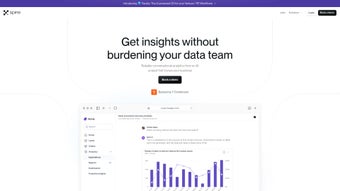
Spine AI is a cloud‑based, no‑code platform that lets developers and business users turn any existing RESTful API into a conversational assistant in minutes. By removing the need for a dedicated machine‑learning team, Spine bridges the gap between sophisticated language models and everyday enterprise workflows. Users type or speak natural language queries, and the system translates those intents into multi‑step API calls, returning results as text, tables, or media streams.
The platform supports a wide variety of data sources—CSV files, PDFs, relational databases, and even audio or video assets—so organizations can surface the exact information they need without writing custom parsers. Built‑in security features, such as role‑based access control and encrypted data transit, keep sensitive business data safe while audit logs provide full traceability for compliance teams. In practice, product managers can launch a help‑desk chatbot, analysts can pull live KPI dashboards via chat, and support engineers can trigger ticket updates without leaving their messaging client.
The result is a faster time‑to‑value, reduced engineering overhead, and a more engaging user experience across web, mobile, and internal tools. Spine’s Knowledge Assistant further accelerates onboarding by answering “how‑to” questions, suggesting best practices, and highlighting hidden features, making the learning curve almost negligible for new users.
Core Features & Benefits
- Zero‑Code API Wrapping: Connect any REST endpoint with a few clicks and instantly expose it as a conversational agent.
- Multi‑Modal Input Support: Accept CSV, PDF, TXT, MD, WAV, MP4, JPEG, MP3, and Python files to enrich data pipelines.
- Intent‑Driven Multi‑Step Automation: One natural‑language prompt can trigger a chain of actions, eliminating repetitive UI clicks.
- Real‑Time Data Insight: Query live databases or analytics dashboards via chat and receive up‑to‑the‑minute metrics.
- Knowledge Assistant: An always‑on helper that answers “how‑to” questions, suggests best practices, and provides debugging tips.
- Secure Role‑Based Access: Granular permissions ensure only authorized users can invoke sensitive API calls.
- Scalable Cloud Hosting: Automatic scaling handles spikes in conversation volume without manual intervention.
- Versioned Workflow Management: Save, test, and roll back conversational flows as your business logic evolves.
- Audit Trails & Logging: Full traceability of each interaction helps meet compliance requirements.
- Cross‑Platform Embeddability: Deploy the chat widget on web portals, mobile apps, or internal dashboards with a single snippet.
These capabilities translate directly into measurable business outcomes. Teams typically see a reduction of up to 40 % in manual data‑entry time because employees can retrieve reports, update records, or launch processes simply by asking the chatbot. Customer‑facing applications become more interactive, which drives higher satisfaction scores and lowers support ticket volume.
Because Spine runs on a secure, multi‑tenant cloud, companies inherit built‑in redundancy, ISO 27001 and SOC 2 compliance, and regular security patches without the expense of on‑premise hardware. The visual flow builder also empowers non‑technical users to design and iterate on conversational experiences, freeing engineering resources for higher‑value projects. Overall, Spine accelerates digital transformation by turning existing APIs into intelligent, conversation‑first interfaces that are both scalable and secure.
Installation & Usage Instructions
Getting Started in Minutes
- Create an Account: Visit spine.ai, register with a corporate email, and verify instantly.
- Connect Your API: From the dashboard, click “Add New Integration,” paste the base URL of your REST API, upload authentication tokens, and let Spine auto‑detect available endpoints.
- Define Conversational Intents: Use the visual flow builder to map natural‑language phrases (e.g., “Show last month’s sales”) to specific API calls. Add conditional logic, loops, and data transformations without writing code.
- Upload Supporting Media: Drag‑and‑drop CSV, PDF, or media files into the “Assets” library. Spine indexes the content, making it searchable via chat.
- Test the Agent: Use the sandbox to simulate user queries, refine intent mappings, and verify response accuracy before going live.
- Deploy the Widget: Copy the generated JavaScript snippet and embed it on any web page, internal portal, or native app using the provided iOS (Swift) and Android (Kotlin) SDKs.
- Monitor & Iterate: The analytics panel displays usage metrics, error rates, and sentiment analysis, enabling continuous improvement of conversational flows.
Compatibility
Spine is a pure SaaS solution, so it works on any modern operating system with a web browser—Windows 10/11, macOS Ventura and later, popular Linux distributions, as well as mobile platforms like iOS 14+ and Android 9+. The chat widget is delivered as JavaScript, which integrates seamlessly with front‑end frameworks such as React, Vue, Angular, or plain HTML/CSS. For native mobile apps, the lightweight SDKs support Swift (iOS) and Kotlin (Android), ensuring a consistent experience across devices.
Updating & Maintenance
Since Spine lives in the cloud, updates are automatic. New features, security patches, and performance improvements are rolled out without any action required from your side. If you need to adjust API endpoints or modify conversational flows, you can do so directly from the dashboard; changes propagate instantly to all active instances. For organizations with strict change‑management policies, Spine offers a staging environment where you can test updates before pushing them to production, guaranteeing zero‑downtime deployments.
Pros, Cons, FAQ & Conclusion
Pros
- Fast deployment – no AI expertise needed.
- Supports a wide variety of file formats for data ingestion.
- Secure role‑based access and full audit trails.
- Scalable cloud infrastructure handles high conversation volumes.
- Integrated Knowledge Assistant reduces onboarding time.
- Automatic updates keep the platform current without manual effort.
- Visual flow builder empowers non‑technical users.
Cons
- Dependence on internet connectivity; offline use is not supported.
- Pricing for high‑volume enterprises can be higher than self‑hosted alternatives.
- Widget UI customization is limited to predefined themes.
- On‑premise deployment is not available, which may deter highly regulated industries.
Frequently Asked Questions
Is there a free tier for Spine?
Yes, Spine offers a free tier that includes up to five API integrations, 1,000 monthly queries, and full access to the Knowledge Assistant—perfect for small teams or proof‑of‑concept projects.
Can I host Spine on my own servers?
Spine is delivered exclusively as a managed SaaS platform. While on‑premise hosting is not offered, the service complies with ISO 27001, SOC 2, and GDPR to meet most enterprise security requirements.
How does Spine handle sensitive data?
All data in transit is encrypted with TLS 1.3, and data at rest uses AES‑256 encryption. Role‑based permissions let you restrict which users can invoke specific API calls, and comprehensive audit logs provide full traceability.
What programming languages can I use with Spine’s SDK?
The SDKs are available for JavaScript (web), Swift (iOS), and Kotlin (Android). For backend integrations you can use any language that can make standard HTTP requests, such as Python, Node.js, Java, or C#.
How does Spine differ from building a custom chatbot with OpenAI?
Custom solutions require prompt engineering, model hosting, continuous fine‑tuning, and extensive security work. Spine abstracts those steps, providing a no‑code workflow builder, built‑in compliance, monitoring, and a conversational UI that can be deployed instantly, letting you focus on business logic instead of AI infrastructure.
Conclusion & Call to Action
Spine AI bridges the gap between powerful conversational models and practical business needs. By turning any API into a chat‑driven interface with minimal code, it accelerates digital transformation, improves user engagement, and reduces the operational overhead traditionally associated with AI projects. Whether you are a product team adding a smart help desk, an analyst needing on‑demand insights, or an IT department seeking a secure, scalable AI layer, Spine delivers a ready‑made solution that grows with your ambitions.
Ready to experience AI‑powered conversations without the usual complexity? Download Spine today, start with the free tier, and see how quickly you can turn existing services into intelligent, chat‑first experiences.



.png)



